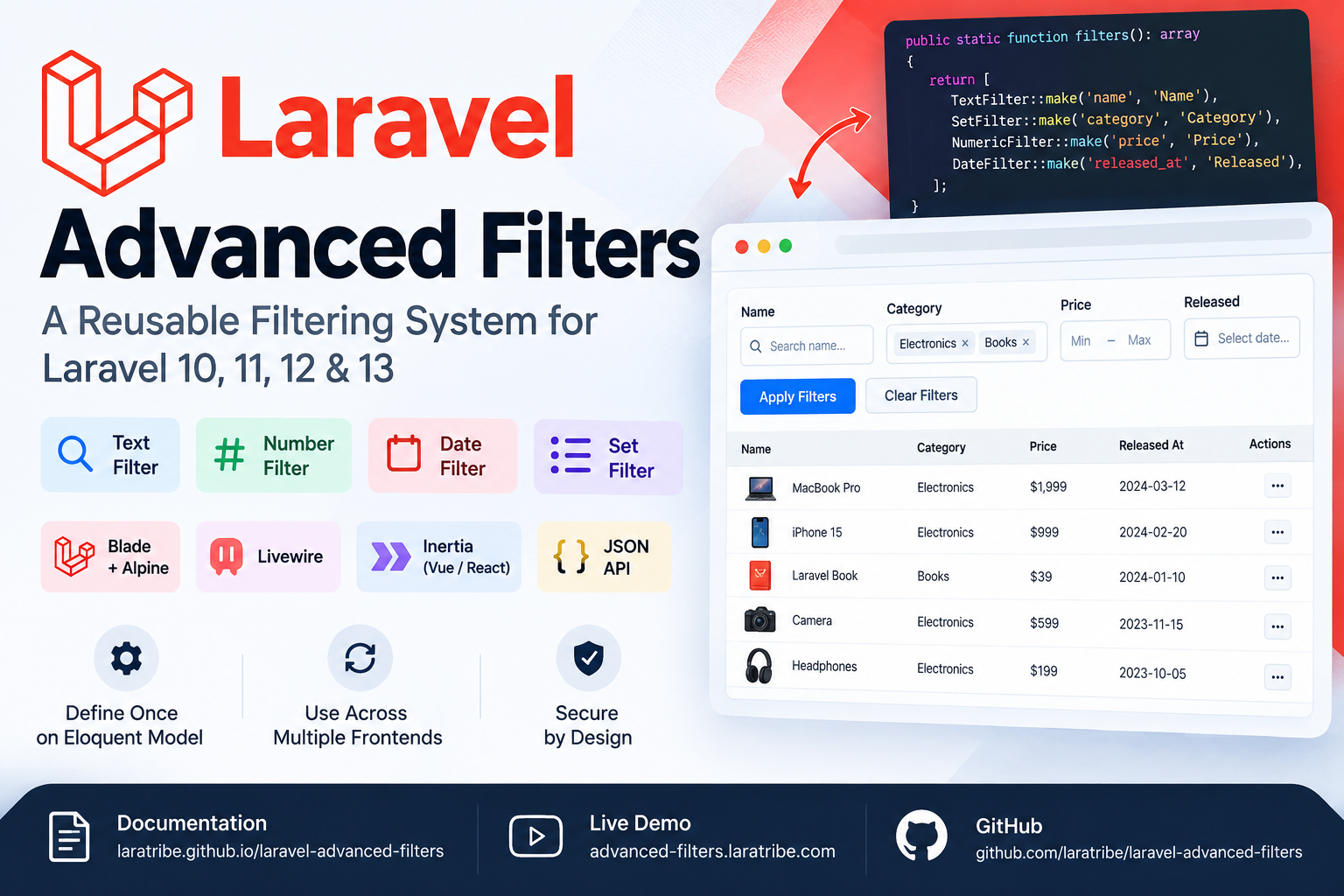
Modern Laravel applications often need advanced filtering for product catalogs, admin dashboards, customer lists, reports, and API endpoints. As the number of filters grows, putting filtering logic directly inside controllers can quickly become difficult to maintain.
Laravel Advanced Filters provides a reusable approach to this problem. Instead of implementing filtering logic separately for every frontend, you can declare your allowed filters once on an Eloquent model and reuse them across Blade + Alpine, Livewire, Inertia, Vue, React, and JSON APIs.
The package is built around a simple idea: define your filters on the model, normalize incoming filter data, apply the filters to your Eloquent query, and let the frontend consume the same filter definitions.
It supports common filter types such as Text, Number, Date, and Set, while also allowing developers to create custom filter types and operators.
Why Use Laravel Advanced Filters?
Traditional filtering implementations often result in repeated code:
- Controller-specific filtering logic
- Different filter behavior between web and API endpoints
- Repeated validation of filterable columns
- Duplicated frontend filter definitions
- Complex conditional query building
- Security concerns when accepting arbitrary columns or operators
Laravel Advanced Filters addresses these problems by making the model's filters() method the central allow-list.
This means your application explicitly defines which fields can be filtered and which operators are available.
Installation:
composer require laratribe/laravel-advanced-filters
The service provider auto-registers and the PHP side works immediately. For the shipped UI, see frontend assets.
Requires PHP 8.2+ and Laravel 10, 11, 12 or 13. Livewire 3/4 and Alpine are optional.
Then add filters to your Eloquent model:
use Laratribe\AdvancedFilters\Concerns\HasFilters;
use Laratribe\AdvancedFilters\Contracts\Filterable;
use Laratribe\AdvancedFilters\Filters\{TextFilter, SetFilter, NumericFilter, DateFilter};

class Product extends Model implements Filterable
{
    use HasFilters;

    public static function filters(): array
    {
        return [
            TextFilter::make('name', 'Name'),
            SetFilter::make('category', 'Category')->options([
                'electronics' => 'Electronics',
                'books' => 'Books',
            ])->multiple(),
            NumericFilter::make('price', 'Price'),
            DateFilter::make('released_at', 'Released'),
        ];
    }
}
Filter and paginate
$filters = Product::normalizeFilters($request->input('column_filters'));

$products = Product::query()
    ->where('active', true)        // your own constraints
    ->applyFilters($filters)        // the trait scope
    ->paginate(25)
    ->withQueryString();

return view('products.index', [
    'products'      => $products,
    'filterFields'  => Product::filterDefinitions(),
    'activeFilters' => $filters,
]);
Render it
<x-advanced-filters::panel
    :fields="$filterFields"
    :active="$activeFilters"
    :base-url="route('products.index')"
/>
Filter types
Laravel Advanced Filters includes several built-in filter types:
Text : TextFilter (contains, not_contains, starts_with, ends_with, equals, not_equals)
Number : NumericFilter (equals, not_equals, >, <, ≥, ≤, between)
Date :DateFilter (equals, >, <, between)
Set :SetFilter. (equals, not_equals, in, not_in)
Developers can also extend the package with their own filter types and operators.
One Backend for Multiple Frontends
One of the major advantages of the package is that filtering logic does not need to be rewritten for every frontend.
The same backend filter definitions can power:
- Blade + Alpine
- Livewire
- Inertia with Vue
- Inertia with React
- JSON APIs
- Custom frontend implementations
This makes the filtering architecture particularly useful for applications that expose both traditional web interfaces and APIs.
Built With Security in Mind
Filtering user-provided data can introduce security problems when applications allow arbitrary database columns or SQL operators.
Laravel Advanced Filters uses the declared filters() configuration as an allow-list. Undeclared fields and unsupported operators are rejected before they reach the database query.
This gives developers explicit control over what users are allowed to filter.
Stable Frontend Contract
The package uses a framework-independent wire contract consisting of two primary data structures.
The frontend can receive filter definitions containing information such as:
- Field key
- Label
- Filter type
- Input type
- Supported clauses
- Clause items
- Options
Incoming filters use a simple structure containing:
field operator value valueTo
Because these are plain arrays, the frontend does not need to depend directly on Laravel implementation details.
Custom Filters and Operators
Applications frequently have requirements that don't fit standard text, number, date, or set filtering.
Laravel Advanced Filters allows developers to create custom filter types with their own input views and custom operators without modifying or forking the package's shipped views.
This makes the system suitable for larger Laravel applications where filtering requirements can evolve over time.
CSS Framework Agnostic
The frontend markup uses semantic HTML and stable af-* classes.
The package also provides a bundled vanilla theme with an optional Tailwind theme, allowing developers to integrate the filter interface into different application designs.
Laravel Version Support
Laravel Advanced Filters currently requires:
- PHP 8.2+
- Laravel 10
- Laravel 11
- Laravel 12
- Laravel 13
Livewire 3/4 and Alpine are optional depending on the frontend implementation.
Explore the Package
You can explore the complete documentation, interactive demo, and source code:
Documentation: https://laratribe.github.io/laravel-advanced-filters/
Live Demo: https://advanced-filters.laratribe.com/
GitHub: https://github.com/laratribe/laravel-advanced-filters